
The Dashboard summarizes the active inventory and highlights records that need attention. Open Dashboard from the Overview section of the TIM navigation.
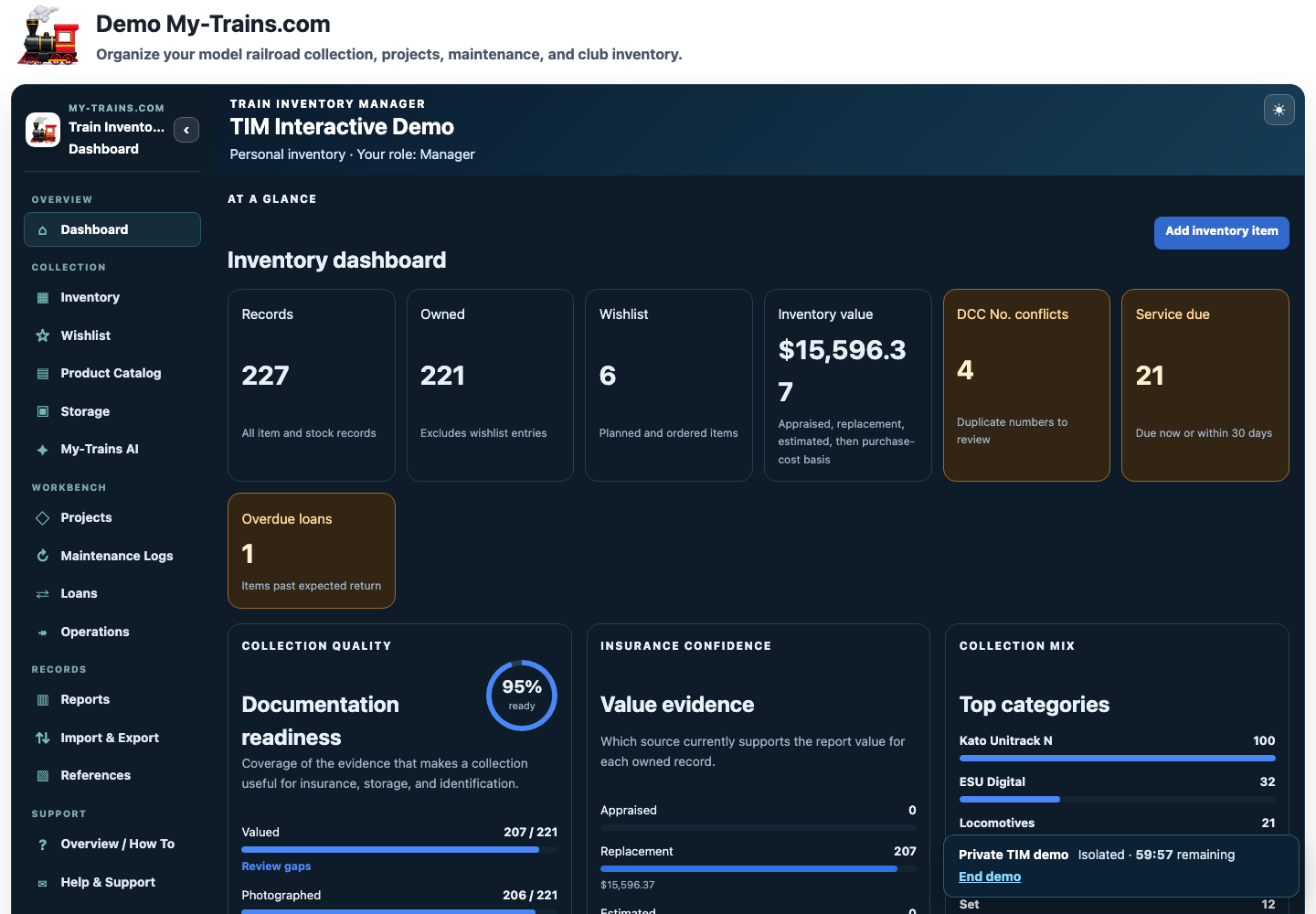
The top metrics include:
- Records: all inventory and stock records.
- Owned: records currently counted as part of the collection.
- Wishlist: planned and ordered items.
- Inventory value: the best available value for each owned record, multiplied by quantity.
- DCC No. conflicts: duplicate DCC addresses that should be reviewed.
- Service due: items due now or within the next 30 days.
- Overdue loans: items past their expected return date.
Documentation readiness #
The Documentation readiness panel measures how completely owned items are documented. It considers whether records have a value, photograph, storage assignment, and manufacturer plus model information. Select Review gaps to open the relevant filtered inventory view.
Value evidence #
TIM chooses one value per unit in this order:
- Appraised value.
- Current replacement value.
- Estimated value.
- Original purchase cost.
Records without one of these values are shown as unvalued. The value-evidence display tells you how much of the collection total is supported by each basis. Values are owner-provided records and are not an appraisal by My-Trains.com.
Category mix and alerts #
Category mix shows the largest categories in the collection. DCC conflicts list the locomotives or equipped items sharing an address. Maintenance reminders link directly to items that are due, while overdue-loan alerts open the Loans workspace.
Choose light or dark mode #
Train Inventory Manager supports light and dark display modes. Use the sun or moon control in the upper-right corner of the application header to switch immediately.
To choose a lasting default, open Inventory Settings and select Follow this device, Light, or Dark under Display and starting point. Follow this device uses the light or dark preference reported by the current device. A signed-in Light or Dark choice is also saved with the member account.
Changing appearance affects only how TIM is displayed. It does not change inventory records, values, permissions, reports, backups, or exports.
Recently added #
The Recently added section shows the newest records. Switch between Cards and Table according to the amount of detail you need, or choose View all inventory.
The Dashboard is most useful as a quality checklist. Address missing identification, photographs, values, and storage locations before relying on an insurance report or moving the collection.


